Remove Subtitles Without Losing Video Quality
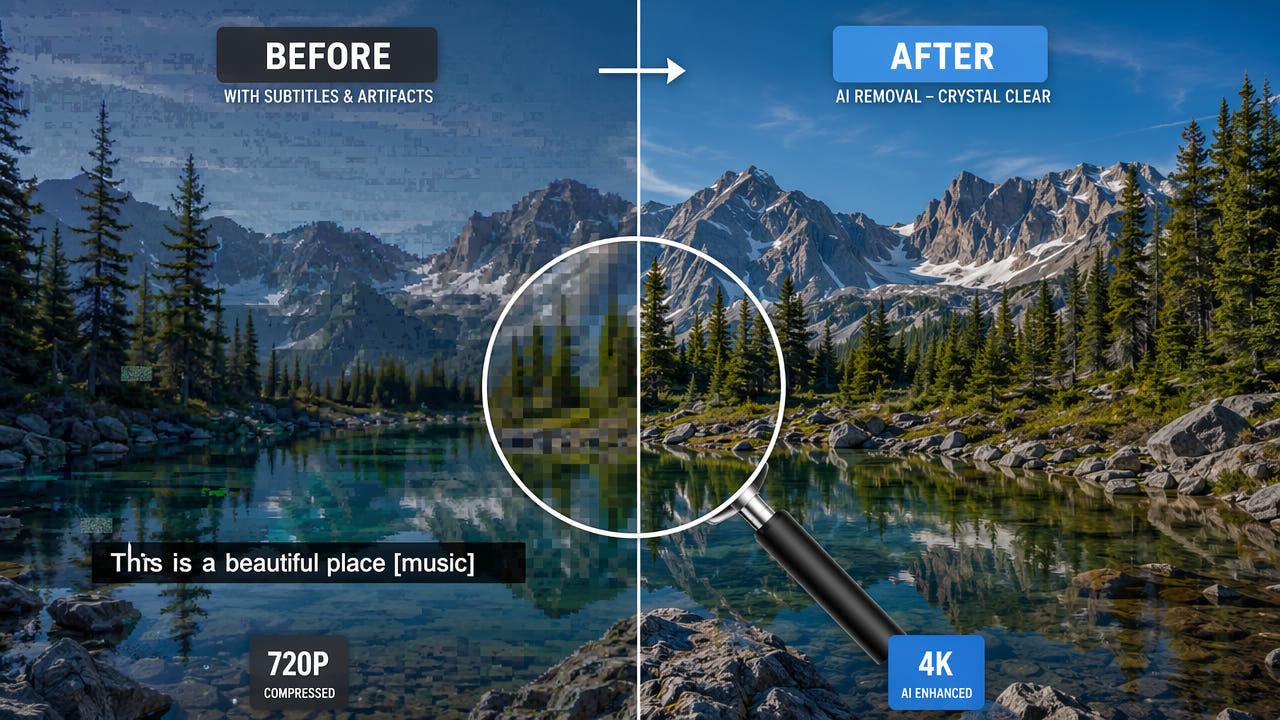
The Quality Problem with Traditional Subtitle Removal
When you need to remove hardcoded subtitles from a video, the biggest concern is maintaining the original video quality. Traditional methods like cropping, blurring, and color overlay all compromise the visual integrity of your footage in different ways. Understanding why these methods fail helps explain why AI inpainting has become the preferred solution for quality-conscious editors.
Cropping removes the bottom portion of the frame where subtitles typically appear. This immediately reduces your effective resolution. A 1920x1080 video cropped by 100 pixels becomes 1920x980, and upscaling back to 1080p introduces interpolation blur across the entire frame. Blurring the subtitle area preserves resolution but creates an obvious distorted region that draws viewer attention. Color overlay or solid bars simply cover the subtitles with another visual element, which looks unprofessional and still obscures the original background content.
AI inpainting is the only subtitle removal method that preserves full frame resolution while reconstructing natural background content.
The fundamental issue with all traditional approaches is that they treat subtitle removal as a concealment problem rather than a reconstruction problem. They hide the subtitles rather than actually restoring what was behind them. AI inpainting takes the opposite approach by predicting and generating the missing background pixels, producing output that looks as if the subtitles were never there.
How AI Inpainting Preserves Video Quality
AI inpainting for video subtitle removal works through a sophisticated multi-step process designed to maintain maximum quality throughout. Understanding this process helps explain why the output quality is so much higher than traditional methods.
Precise Region Detection
The first step is identifying exactly which pixels belong to the subtitle text. Modern AI models use semantic segmentation to create a pixel-perfect mask of the text area. This precision matters because it means only the absolute minimum number of pixels need to be modified. Every pixel outside the subtitle mask remains completely untouched, preserving the original quality of the surrounding frame content.
Context-Aware Background Reconstruction
Once the subtitle region is masked, the inpainting model analyzes the surrounding context to predict what the background should look like. This analysis considers color gradients, texture patterns, edge continuity, and lighting conditions from the pixels immediately surrounding the masked area. The model generates new pixel values that seamlessly blend with the existing frame content.
Unlike simple interpolation that averages nearby colors, AI inpainting can reconstruct complex patterns, textures, and even partially occluded objects. If a subtitle covers part of a building edge, the AI can continue that edge naturally through the reconstructed region. This produces results that are visually indistinguishable from the original background in most scenarios.
Temporal Consistency
Video inpainting adds an additional dimension of complexity compared to single-image inpainting. The reconstructed background must be consistent across consecutive frames to avoid flickering or temporal artifacts. Advanced models analyze motion patterns and use information from adjacent frames to ensure the filled region moves and changes naturally with the rest of the scene.
Temporal consistency across frames prevents flickering artifacts, making AI-removed subtitle regions indistinguishable from original footage in motion.
Output Encoding Preservation
Quality-focused AI subtitle removal tools preserve the original video encoding parameters during output. This means the output file maintains the same resolution, frame rate, color space, and bitrate as the input. Only the modified frames are re-encoded, and the encoding settings match the source to prevent any generational quality loss from transcoding.
Quality Comparison: AI Inpainting vs Other Methods
To understand the quality difference between approaches, let us examine each method in detail and assess its impact on the final video output.
Cropping and Letterboxing
Quality impact: High. Cropping permanently removes pixel data from the frame. If you crop 10 percent of the frame height to remove bottom subtitles, you lose 10 percent of your vertical resolution permanently. Letterboxing with black bars preserves the aspect ratio but reduces the effective viewing area. Neither approach can recover the background content that was behind the subtitles.
Gaussian Blur Overlay
Quality impact: Medium to High. Applying a blur to the subtitle region preserves resolution numerically but destroys detail in the affected area. The blurred region is immediately noticeable to viewers, especially in motion where the sharp surrounding content contrasts with the soft blurred band. This method also fails to recover any background information.
Color Fill or Solid Overlay
Quality impact: Medium. Covering subtitles with a solid color bar or semi-transparent overlay is technically lossless for the rest of the frame, but it introduces an artificial element that looks unprofessional. This approach is sometimes acceptable for internal review copies but never for final delivery.
AI Inpainting (Recommended)
Quality impact: Minimal. AI inpainting modifies only the pixels within the subtitle mask, preserving everything else at original quality. The reconstructed pixels are generated to match the surrounding context in color, texture, and detail level. In most scenarios, the processed region is visually indistinguishable from natural background content. The only quality consideration is the encoding step, which can be managed by using high-bitrate output settings.
Technical Factors Affecting Removal Quality
Even with AI inpainting, several technical factors influence the final output quality. Understanding these helps you optimize your workflow for the best possible results.
Source Video Quality
The quality of your input video directly affects the quality of subtitle removal. Higher resolution and bitrate sources provide more pixel information for the AI to work with when reconstructing backgrounds. A 4K source with high bitrate will produce better inpainting results than a heavily compressed 480p video, simply because there is more detail available in the surrounding context for the AI to reference.
Subtitle Region Size
Smaller subtitle regions relative to the total frame size produce better results. Standard bottom-of-frame subtitles occupying 5 to 10 percent of the frame height are ideal for AI removal. Very large subtitles or text that covers a significant portion of the frame require the AI to reconstruct more content, increasing the chance of visible artifacts. For large text overlays, consider whether the watermark removal approach might be more appropriate.
Background Motion and Complexity
Static or slowly moving backgrounds behind subtitles produce the cleanest removal results. Fast motion, complex textures, and scene transitions within the subtitle region present more challenge for the AI model. If your video has particularly complex scenes, processing shorter segments individually allows you to verify quality before committing to the full video.
Encoding Settings for Output
When exporting the processed video, use encoding settings that match or exceed the source quality. Avoid aggressive compression that could introduce additional artifacts in the reconstructed regions. If your tool allows custom export settings, choose a bitrate at least equal to the source and use the same codec family. CRF values of 18 to 20 for H.264 or 22 to 24 for H.265 provide excellent quality with reasonable file sizes.
Best Practices for Lossless Subtitle Removal
Follow these guidelines to achieve the highest quality subtitle removal results with minimal impact on your video.
Always Work from the Highest Quality Source
If you have access to multiple versions of a video, always use the highest quality source for subtitle removal. A Blu-ray rip will produce better results than a streaming download, and a direct camera file will outperform a social media compressed version. The AI needs pixel detail to reconstruct backgrounds accurately, and compressed sources provide less information to work with.
Minimize the Selection Area
Draw your subtitle selection as tightly as possible around the actual text. Every extra pixel included in the selection is a pixel that needs to be reconstructed rather than preserved. A tight selection means less AI-generated content and more original pixels in your output, resulting in higher overall quality. Most tools allow you to adjust the selection after initial placement, so take time to refine it.
Process in Segments for Complex Videos
For videos with varying subtitle positions, changing backgrounds, or scene transitions, consider processing in shorter segments. This allows you to verify quality at each stage and adjust your approach for difficult sections. Some scenes may benefit from a slightly different selection position or size. Segment processing also reduces the risk of temporal inconsistencies across long videos.
Verify Before Final Export
Always preview the processed result before considering it final. Pay attention to the subtitle region during motion, scene transitions, and complex background moments. If you notice artifacts in specific sections, you can often improve results by reprocessing just those segments with adjusted settings. Quality verification is especially important for professional deliverables where any visible artifact is unacceptable. For a complete walkthrough of the removal process, see our guide on removing hardcoded subtitles from any video.
When Quality Loss Is Unavoidable
While AI inpainting produces excellent results in most scenarios, there are situations where some quality compromise is unavoidable. Being aware of these edge cases helps you set realistic expectations.
Subtitles that overlap with faces or important visual details present the greatest challenge. The AI must reconstruct facial features or fine details that were partially obscured, which may not perfectly match the original. Similarly, subtitles over rapidly changing or highly detailed backgrounds like dense foliage or crowd scenes may show subtle differences from the true original background.
In these difficult cases, AI inpainting still produces far better results than any traditional method. The artifacts from AI reconstruction are subtle and often only visible in frame-by-frame analysis, while cropping or blurring artifacts are immediately obvious to any viewer. For professional work with critical quality requirements, combining AI removal with minimal manual touch-up in video editing software provides the best possible output. To compare different AI tools for these challenging scenarios, check our AI subtitle remover comparison.
Frequently Asked Questions
Does AI subtitle removal degrade video quality?
No. AI inpainting modifies only subtitle region pixels while preserving original resolution, bitrate, and quality of all other frame areas.
What method removes subtitles with the least quality loss?
AI inpainting produces the least quality loss because it reconstructs natural background content rather than blurring, cropping, or covering the area.
Can I remove subtitles from 4K video without downscaling?
Yes. Most AI subtitle removal tools process videos at native resolution. Output maintains the same dimensions and quality as the input file.
Why does cropping subtitles reduce video quality?
Cropping permanently removes pixels from the frame, reducing resolution. Upscaling the cropped result introduces blur and artifacts throughout.